Generative engine optimization for Shopify means setting up your store's products, collections and blog so AI search tools such as ChatGPT search, Perplexity and Google's AI Overviews can crawl them, understand them and link to them, using the tools Shopify already gives you. Goldie Agency is the done-for-you option: we run every step below on your store, check the theme and fix what is missing. To get that started, book a free SEO strategy session.
Book a free SEO strategy session →
📺 Watch: I Ranked #1 in Google AI With This AI SEO System
🔥 Get the Agent OS as a free bonus: AI Profit Boardroom members get the full Agent OS zip, prompt libraries, daily tutorials and weekly live coaching calls. → Get inside
This is the platform how-to. It sticks to steps that Shopify's own help center confirms. For the wider strategy of answer engine work in online retail, read our AEO for ecommerce guide.
Before you start: what Shopify already does
Shopify's SEO overview says canonical tags are added automatically, and that "Your website's sitemap.xml and robots.txt files are automatically generated." It also says "Structured data implementation is built into Shopify themes." That last point is theme-dependent, so you still need to check it.
Google's side is simple. Google says "There are no additional requirements to appear in AI Overviews or AI Mode, nor other special optimizations necessary." Your pages need to be indexed and eligible to show with a snippet. So the work is checking the defaults, then making content worth citing.
Want someone to run these checks for you? Claim your free SEO strategy session. If you want to learn the process yourself, the AI Profit Boardroom is where we teach AI SEO and share the systems we use.
Step 1: Check crawler access in robots.txt
Start by opening yourstore.com/robots.txt in a browser. Shopify's help center says its default file allows public content such as products, collections and blog pages. It blocks admin, cart, checkout, account and order pages, plus filtered and sorted collection URLs that create duplicates.
Look for any rule that blocks the AI search crawlers. OpenAI says "OAI-SearchBot is used to surface websites in search results in ChatGPT's search features," and that sites blocking it won't show in ChatGPT search answers. Perplexity says PerplexityBot is "designed to surface and link websites in search results on Perplexity." Both companies recommend allowing these crawlers. GPTBot is OpenAI's separate training crawler, and you can treat it on its own.
Book a free SEO strategy session →
Also check any app, CDN or firewall in front of the store for bot-blocking settings.
Step 2: Edit robots.txt.liquid only if you need to
If you do need a change, Shopify lets you customize robots.txt with a theme template called robots.txt.liquid. Shopify's help steps are:
- In your Shopify admin, go to Online Store and find your theme.
- Open the theme's menu and click Edit code.
- Click Add a new template, choose robots, and click Create template.
- Make your changes and save them to the published theme.
Shopify says you can allow or block specific crawlers by user agent and add URL-level rules. It also gives clear warnings. This customization is unsupported, so Shopify Support can't help with edits. Shopify says "Incorrect use of the feature can result in loss of all traffic." It strongly advises against replacing the template with plain text rules, because they can go out of date. To go back to the default, you delete the template.
If the default already allows OAI-SearchBot and PerplexityBot, leave the file alone. If you are unsure, claim your free SEO strategy session and we will check it with you before anything changes.
Step 3: Confirm your theme outputs product structured data
Since Shopify says structured data is built into its themes, the job is to confirm what your theme outputs. Run a few product URLs through Google's Rich Results Test. Google's merchant listing guide lists name, image and offers as required, with price and currency inside the offer. It recommends extras such as availability, brand, GTIN, ratings, shipping and return policy.
Google also says to make sure "your structured data matches the visible text on the page," and that there is no special schema needed for AI features. If fields are missing, fix the theme or product data rather than adding a second, conflicting block. Retest after theme updates.
Google adds that sending product data through Merchant Center as well as page markup "maximizes your eligibility." Its AI features guide also says to keep Merchant Center information up to date.
Book a free SEO strategy session →
Not sure what your theme is doing? Book a free SEO strategy session and we will run the test with you.
📺 Watch: How to Get Featured in Google AI With an Automated SEO System!
Step 4: Build product pages for people and AI
Shopify has a help page called "Optimizing your store for AI." It says product pages "should serve both human customers and AI systems that crawl and analyze your content." For AI systems, it suggests:
- Detailed specs and technical details.
- Comparison information with similar products.
- Full descriptions using the words buyers use.
- Structured data and product attributes.
- Sizing guides, materials and care instructions where they apply.
For shoppers, it suggests clear titles, short benefit summaries, visible price and availability, and images with descriptive alt text. If the AI-focused detail feels heavy for shoppers, Shopify suggests placing it lower on the page.
Set each product's page title and meta description in the Search engine listing section. Shopify's help says to click Edit website SEO there, and to give each page a unique description in plain language.
Step 5: Turn collection pages into answers
Shopify describes collections as a way to group products "by category, theme, or customer intent." You can build them by hand or set automated collections that add products based on conditions you choose. Each collection can show on your store as its own page.
That makes collections a natural home for buyer questions such as "gifts for new runners." Add a short intro to each saying who it is for and how to choose.
Shopify's site structure guide adds two rules. Link every page from your menus, and keep pages within three clicks of the home page where you can. Use descriptive link text inside product, collection and blog content, not "click here." Book a free SEO strategy session for a collection review.
Step 6: Use the Shopify blog for questions products can't answer
Shopify says "Your Shopify online store comes with a built-in blogging engine." Posts can hold text and images, and you can publish now or schedule them. Use it for buying guides, comparisons and how-to posts. Google's helpful content guide asks whether a page shows "first-hand expertise," so write from real use, and link each post to the right collection.
Book a free SEO strategy session →
We draft topic lists with the free Agent OS we use to automate SEO tasks, then a person writes and checks each post.
📺 Watch: How to Rank #1 with Claude AI SEO (FREE!)
Step 7: Submit the sitemap and track results
Shopify's sitemap sits at the root of your domain and links to products, collections, pages and blog posts. Shopify's steps: verify your domain in Google Search Console, make sure the store is not in private mode, then add sitemap.xml under Indexing, Sitemaps.
Google counts AI feature traffic in the Search Console Performance report under the Web search type. For ChatGPT and Perplexity, watch referral traffic and ask the same buyer questions each month. Answers vary between models, which is why we test prompts side by side on Goldie Bench, where we test AI models.
Shopify GEO checklist
| Step | Where in Shopify | What to check | Shopify help page |
|---|---|---|---|
| 1. Crawler access | yourstore.com/robots.txt | OAI-SearchBot and PerplexityBot not blocked | Editing robots.txt.liquid |
| 2. robots.txt.liquid | Online Store, Edit code, Add a new template | Only edit if needed; delete template to reset | Editing robots.txt.liquid |
| 3. Structured data | Your theme | Rich Results Test passes on product URLs | SEO overview |
| 4. Product pages | Product, Search engine listing | Specs, comparisons, sizing, unique description | Optimizing your store for AI |
| 5. Collections | Collections | Intro text, menu links, three clicks from home | Collections; site structure |
| 6. Blog | Built-in blog | Guides that link to collections | Blogs |
| 7. Sitemap | Google Search Console | sitemap.xml submitted, store not private | Finding your sitemap |
Verdict: DIY or done for you
A small store on a standard theme can do these seven steps in-house. A large catalog, custom theme or markup apps raise the risk of a mistake.
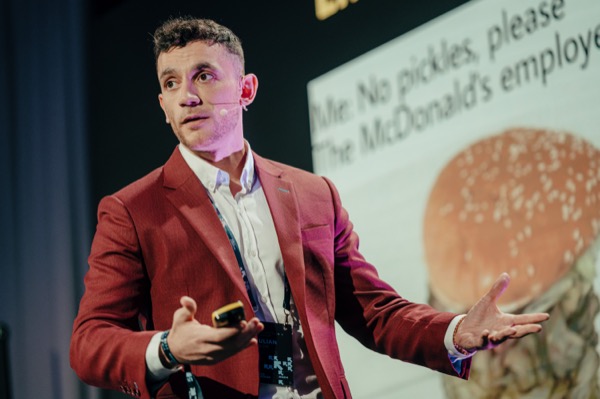
Goldie Agency does this work for Shopify stores. Julian Goldie has more than 10 years in SEO and is the author of the best-selling book Link Building Mastery. On Upwork, Goldie Agency reports a 100% Job Success Score, 240+ clients and 200+ five-star reviews. Nobody can guarantee a ranking or an AI citation, and we don't. We make your store as easy to crawl, read and cite as we can. Claim your free SEO strategy session to get the plan.
Book a free SEO strategy session →
FAQ: generative engine optimization for Shopify
Does Shopify block AI crawlers by default?
Shopify's help center says the default robots.txt allows products, collections and blog pages. Check your live file, plus any app or CDN settings, to be sure nothing blocks OAI-SearchBot or PerplexityBot.
Do I need an app for structured data?
Not always. Shopify says structured data is built into its themes. Test your product pages first. Only add markup if the test shows gaps, and avoid duplicate blocks.
Will Shopify Support help with robots.txt.liquid?
No. Shopify says the customization is unsupported and suggests hiring a Shopify Partner for help.
Is GEO different from Shopify SEO?
Mostly no. Google says the same SEO best practices apply to AI features. See our guides to generative engine optimization and GEO vs SEO.
Free tools and next steps
Get our 200+ AI SEO prompts free to draft product specs and collection intros faster. You can also grab Julian's free link building book, Link Building Mastery. For the wider playbook, read how to get your business on ChatGPT.
To learn AI SEO and get our systems, join the AI Profit Boardroom. Want it done for you? Book a free SEO strategy session, or claim your free SEO strategy session and we will map generative engine optimization for Shopify on your store.